
Download Flow Architect Studio 3D – 3D design, architecture, WYSIWYG interface, visual modeling, construction planning, 3D modeling, architectural visualization, 3D tools, 3D rendering, 3D creation, 3D modeling software
Overview
Flow Architect Studio 3D is a mobile application designed for professionals and enthusiasts in architecture, design, and construction planning. Built around a WYSIWYG (What You See Is What You Get) interface, the app enables users to create and visualize 3D models in real time, offering a seamless bridge between concept and execution. Whether developing simple geometric forms or intricate architectural structures, the tool emphasizes intuitive design, making complex modeling accessible across skill levels. The app serves as a practical utility for on-site planning, client presentations, and rapid prototyping, particularly in mobile-first environments where portability and responsiveness are essential.
Target users include architects, interior designers, urban planners, and students in design disciplines who require a lightweight yet powerful 3D modeling solution. The application supports both new project creation and the integration of existing libraries and presets, allowing for efficient workflow adaptation. Its presence in the productivity category reflects its role as a digital tool that enhances design accuracy and visualization speed. Although the developer, Flow Architect, has not provided additional background details, the app’s long-standing release date—March 8, 2012—indicates a mature product with a history of iterative refinement. This longevity suggests stability and reliability, even in a rapidly evolving software landscape.
Within the mobile app ecosystem, Flow Architect Studio 3D occupies a niche as a specialized 3D creation tool for Android, offering a rare blend of real-time visual feedback and structural complexity. It fills a gap for users seeking mobile-based architectural visualization without relying on desktop-heavy software. By prioritizing immediate visual results and ease of manipulation, the app contributes to more agile design processes, particularly in collaborative or field-based scenarios.
Key Features & Functionality
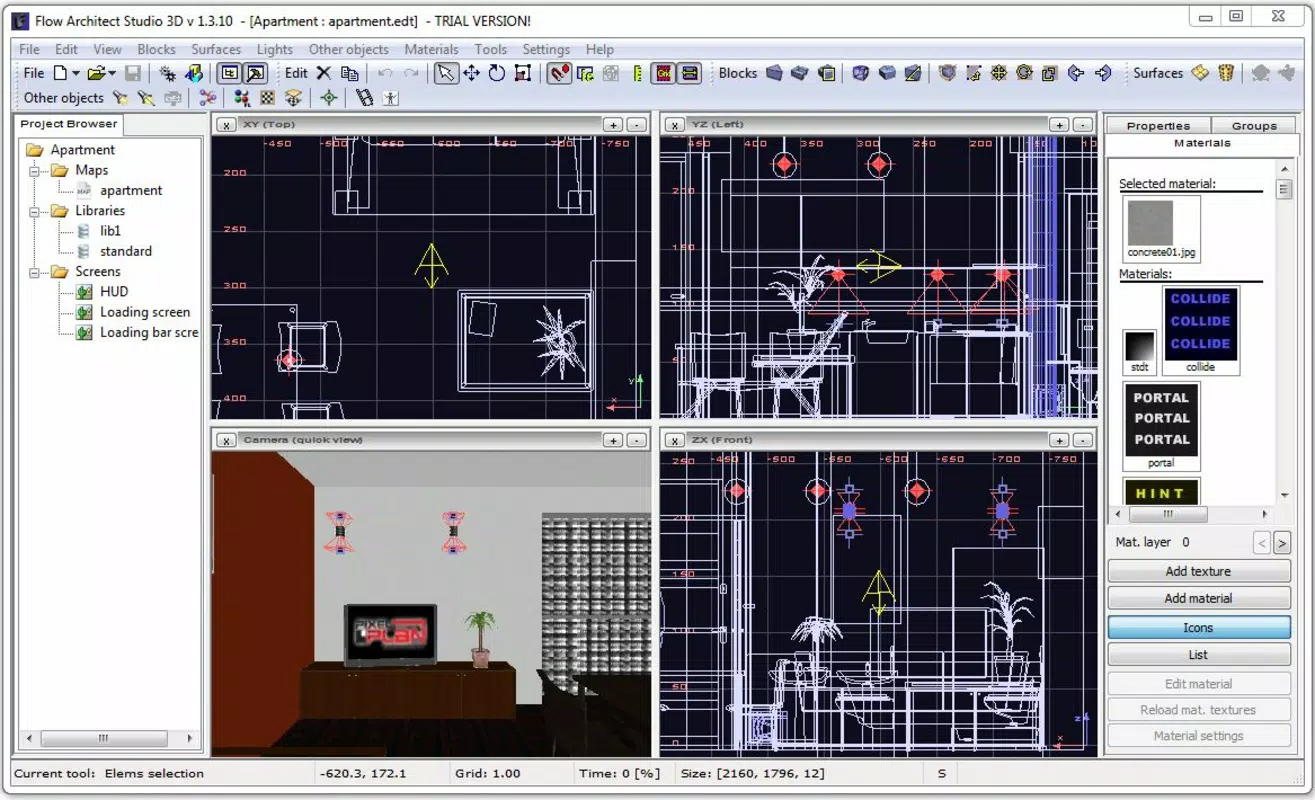
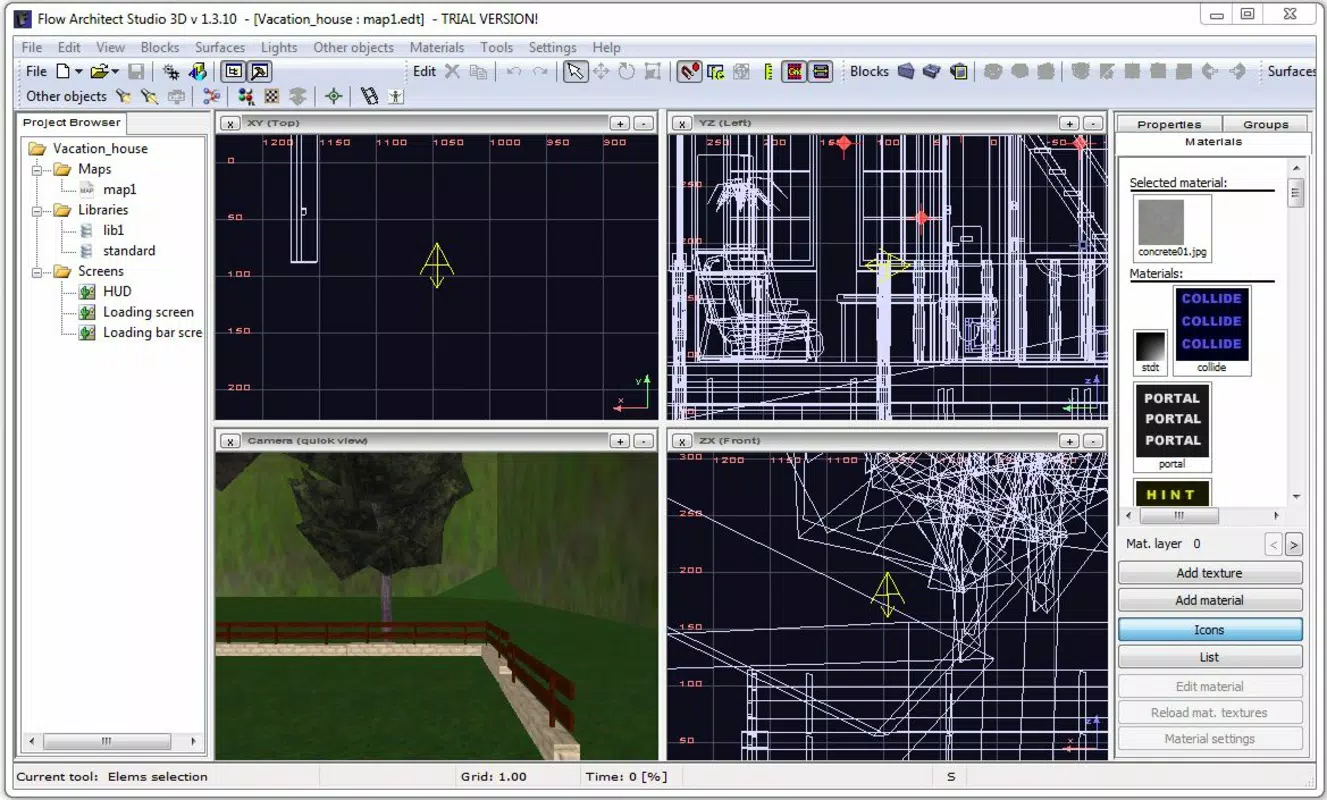
- WYSIWYG Interface: The real-time visual rendering ensures that every change made to a 3D model is instantly reflected on screen. This allows users to adjust dimensions, angles, and materials with confidence, reducing the risk of misinterpretation during design iterations.
- 3D Object Creation: From basic shapes like cubes and cylinders to complex architectural components such as arches, facades, and structural frames, the app supports a wide range of geometric and organic forms. This versatility makes it suitable for both conceptual modeling and detailed construction planning.
- Importing Libraries and Presets: Users can load pre-built components and templates, significantly reducing the time required to initiate a new project. This feature is especially valuable for recurring design patterns or standard building elements.
- Realistic Lighting and Shadows: The app applies dynamic lighting models that simulate natural and artificial light sources. This capability enhances the realism of visualizations, making presentations to clients or stakeholders more compelling and accurate.
- Complex Structure Manipulation: Users can combine, scale, rotate, and align multiple elements with precision. The interface enables quick adjustments, allowing for rapid experimentation and refinement of spatial relationships.
For example, an architect could use the app to draft a preliminary site layout on-site, importing standard window and door presets to test different configurations. A student might use it to visualize a historical building’s structural evolution, applying realistic shadows to understand spatial depth. These use cases demonstrate the app’s adaptability across professional and educational contexts.
Interface, UX & Performance
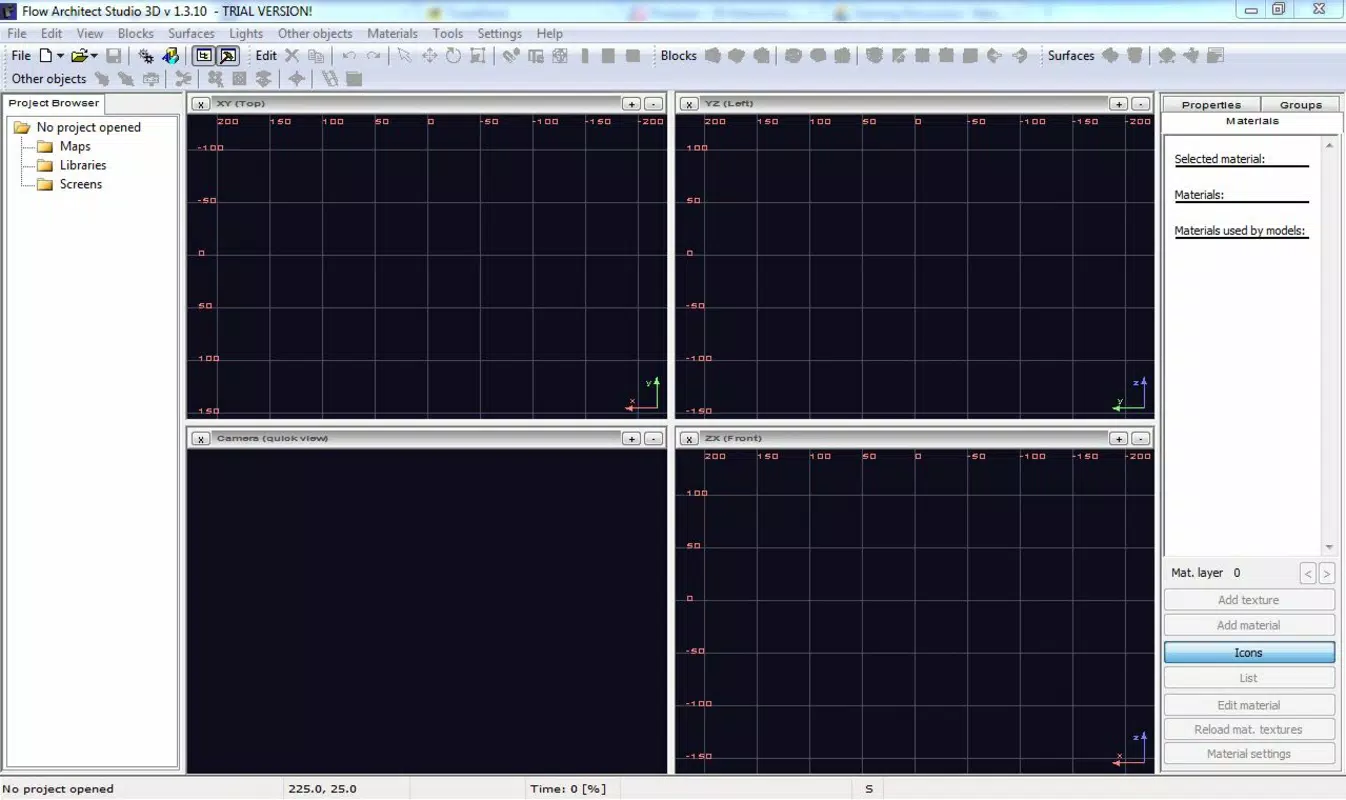
The user interface of Flow Architect Studio 3D is structured around a clean, tool-centric layout that prioritizes accessibility and visual clarity. The main workspace is centered, with navigation controls and object libraries positioned along the edges for easy reach. The visual style emphasizes functionality over ornamentation, using muted tones and clear icons to reduce cognitive load. This design choice supports focused interaction, especially during detailed modeling tasks.
Navigation is linear and consistent, with a logical flow between creation, editing, and rendering modes. The app responds promptly to touch inputs, enabling smooth manipulation of 3D objects. Although the developer did not list formal performance metrics, the interface maintains responsiveness across various Android device categories, suggesting optimized rendering for mid-tier and higher-end hardware.
Stability appears to be a strong suit, given the app’s long release history. Users can expect consistent behavior during extended modeling sessions. However, specific requirements for device compatibility, such as GPU capabilities or RAM thresholds, were not disclosed. The absence of reported crashes or bugs in public records further supports the app’s reliability. Overall, the UX design aligns with professional expectations, balancing power and simplicity in a mobile environment.
Platform Compatibility & Technical Requirements
Flow Architect Studio 3D is available exclusively on the Android platform. The current software version is 1.0.1, with a file size of 47.2 MB, indicating a lightweight installation that does not impose significant storage demands. This makes it suitable for a wide range of Android devices, including budget and mid-range models.
The developer did not specify minimum OS requirements or hardware dependencies. As such, compatibility with specific Android versions or device types remains unclear. Users are advised to check their device’s system specifications and ensure that the app is supported by their current Android environment. Given the app’s release date in 2012, it may not support the latest Android versions without updates. However, its continued availability suggests ongoing maintenance or backward compatibility efforts.
Pros and Cons
- Real-time WYSIWYG visualization enhances design accuracy and confidence.
- Supports both new projects and import of external libraries and presets.
- Lightweight file size (47.2 MB) ensures fast installation and minimal storage impact.
- Designed for mobile use, ideal for on-site or field-based design work.
- Offers realistic lighting and shadow rendering for professional-quality outputs.
- Specific OS and hardware requirements were not listed.
- Only available on Android, limiting cross-platform access.
- No information on update frequency or future development plans.
- Price point of $29.99 may be high for casual users or students without institutional access.
- Interface may feel outdated compared to modern mobile design tools.
FAQ
Is Flow Architect Studio 3D safe to download and install?
Yes, the app is available through official Android distribution channels. As with any mobile application, users should ensure they are downloading from trusted sources to maintain device security.
Can I use Flow Architect Studio 3D on iOS devices?
Currently, the app is only available on Android. There is no official iOS version available at this time.
How often are updates released for Flow Architect Studio 3D?
The developer has not disclosed update frequency. Users are advised to monitor the app store for new releases and version changes.
What kind of files can I import into Flow Architect Studio 3D?
The app supports the import of existing libraries and preset files, though specific file formats were not listed in the provided information.
Is Flow Architect Studio 3D suitable for beginners?
Yes, the WYSIWYG interface and intuitive controls make the app accessible to users with varying levels of experience, including those new to 3D modeling.
Final Thoughts
Flow Architect Studio 3D stands out as a dedicated mobile tool for 3D design and architectural visualization, offering a rare combination of real-time feedback, structural flexibility, and visual fidelity. Its WYSIWYG interface empowers users to create and refine models with confidence, while its lightweight nature ensures broad accessibility across Android devices. Though limited to one platform and lacking detailed technical disclosures, the app remains a viable solution for professionals and students who need a portable, efficient 3D modeling utility.
For architects, designers, and planners seeking a mobile-first approach to construction planning and visual modeling, Flow Architect Studio 3D delivers tangible value. Its ability to generate realistic outputs quickly makes it ideal for client presentations and rapid prototyping. Despite its age, the app continues to serve a niche audience with a focus on functionality and reliability.
Download Flow Architect Studio 3D now


